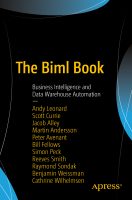
Woohoo! The Biml Book: Business Intelligence and Data Warehouse Automation is now available for pre-order from Amazon and Apress! 🥳
This is the first book I’ve co-authored, and I have to admit it’s a very strange feeling to see my name on the cover of a book. Am I allowed to say I’m quite proud? Oh, I’ll say it anyway. I’m proud and very honored to have written this book with such a talented group of people: Andy Leonard (@AndyLeonard), Scott Currie (@scottcurrie), Ben Weissman (@bweissman), Bill Fellows (@billinkc), Martin Andersson (@frysdisken), Peter Avenant (@PeterAvenant), Simon Peck (@biguynz), Reeves Smith (@SQLReeves), Raymond Sondak (@raymondsondak) and Jacob Alley.
For this year’s Microsoft Ignite, 10 MVPs have been invited by Microsoft to cover the event live throughout the week. I’m very excited and honored to announce that I’m one of this year’s Community Reporters! 🥳 As a Community Reporter, I will share news and updates by blogging, tweeting, reporting live, interviewing speakers and attendees, and posting pictures and videos of what’s happening on the ground in Orlando.
Click on the links below to read each Community Reporter’s introduction blog post, learn more about them, and see where you can follow them on social media. If you’re on Twitter, you can find everyone in the msignitelive list.

Top row from left to right:
Alistair Pugin (Office Servers & Services MVP)
Cathrine Wilhelmsen (Data Platform MVP) <- Hey mom, look, it’s me! :)
Christian Buckley (Office Servers & Services MVP)
Darrell Webster (Office Servers & Services MVP)
Dux Raymond Sy (Office Servers & Services MVP)
Bottom row from left to right:
Harjit Dhaliwal (Windows and Devices for IT MVP)
Laura Rogers (Office Servers & Services MVP)
Magnus Mårtensson (Microsoft Azure MVP)
Sue Hanley (Office Servers & Services MVP)
Tom Arbuthnot (Office Servers & Services MVP)
Are you tired of right-clicking on your Biml files to Check Biml for Errors or to Generate SSIS Packages? Did you know that you can create your own BimlExpress Keyboard Shortcuts? 🤓
Two years ago I wrote about my experiences presenting a webinar for the first time. I learned a lot that day, and it helped me prepare for presenting remotely. But, a webinar is not the same as a remote presentation. And as much as you prepare and rehearse, you just won’t be prepared for every little thing that might happen until you’ve experienced them. Here are 3 of my mistakes you don’t want to make if you’re planning to start presenting remotely 😅

BIDS Helper and BimlExpress do not support creating SSIS project parameters from Biml out of the box. There are workarounds (and I have previously blogged about my solution for creating project parameters from Biml), but why is this not a standard feature in BIDS Helper or BimlExpress? Many people have asked about this, so I sat down with Biml creator Scott Currie (@ScottCurrie) to get the full story.
Why doesn’t BIDS Helper or BimlExpress emit SSIS project parameters from Biml?
Well, technically it could, but it shouldn’t. The user experience would have serious issues, leading to confusion, frequent errors, and the potential for data loss. How can that be?